MAKE EVERY PRESS COUNT
⌘ Z
That last change? Gone.
Your buttons. Your rules.
Map keys, shortcuts, and apps to the way you work. The command you need, without breaking your train of thought.
 vibote
OPEN SOURCE. OUT OF YOUR CHAIR.
Your Mac, from a different perspective. Turn a Bluetooth remote into your shortcut to creating. Press, speak, and stay in your flow.
FREE & OPEN SOURCE · macOS 14+ · APPLE SILICON & INTEL
01 / A NEW WAY TO CREATE
The best ideas don’t wait for you to sit at a desk.
Put your everyday actions in the palm of your hand.
That last change? Gone.
Map keys, shortcuts, and apps to the way you work. The command you need, without breaking your train of thought.
Hold to talk through the remote’s mic. Transcribe on your Mac or connect the AI voice app you already love.
Battery and connection at a glance. Start at login keeps Vibote ready whenever inspiration turns up.
02 / FEELS RIGHT AT HOME
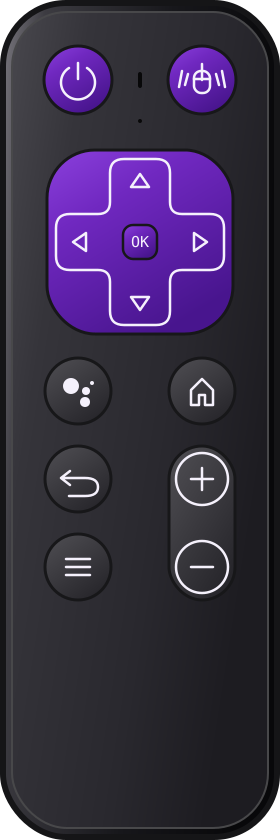
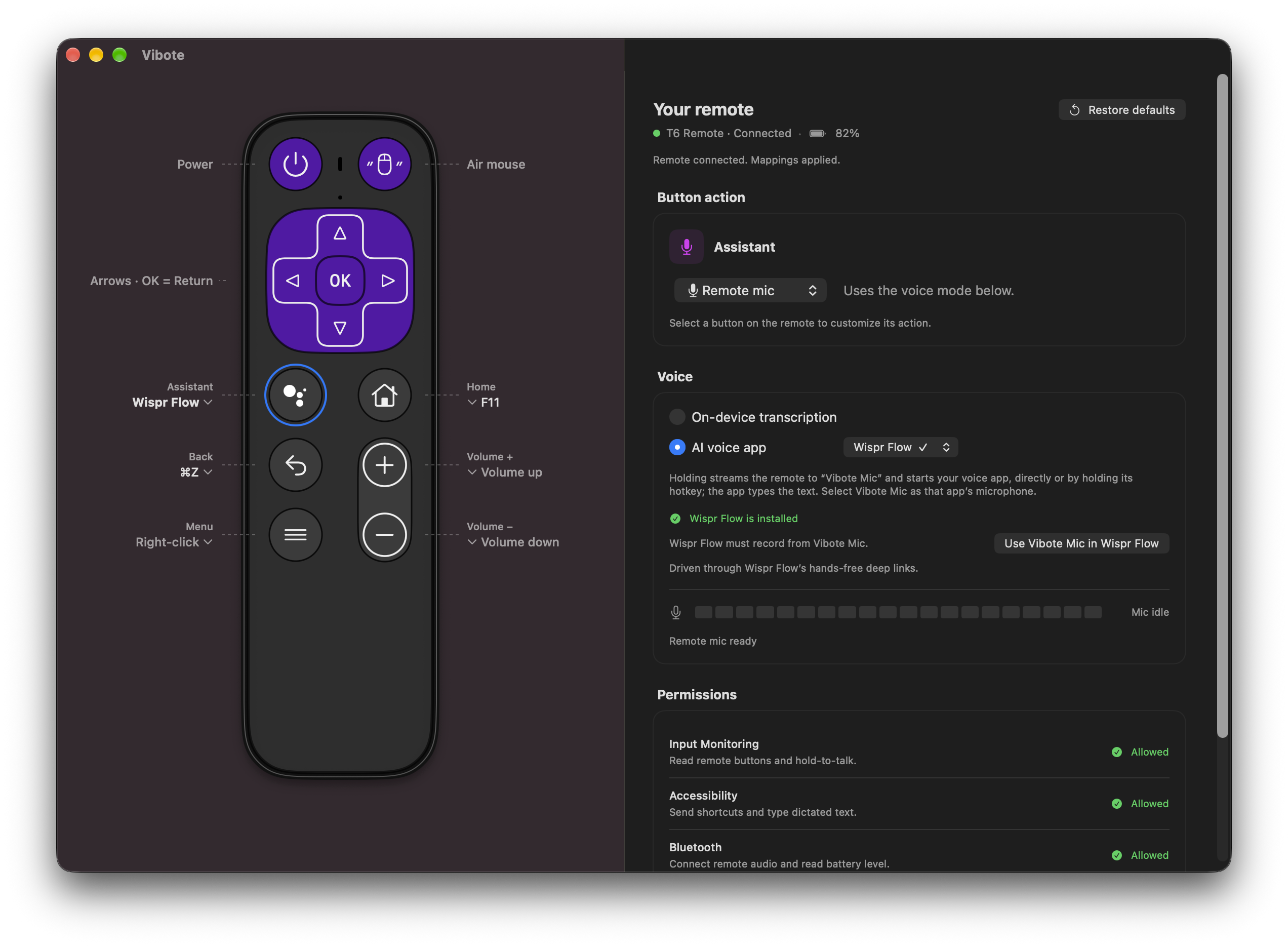
Click a button’s label to change its action.
See your remote respond as you press.
Everything in one simple window.
03 / TWO SIDES. MORE POSSIBILITY.
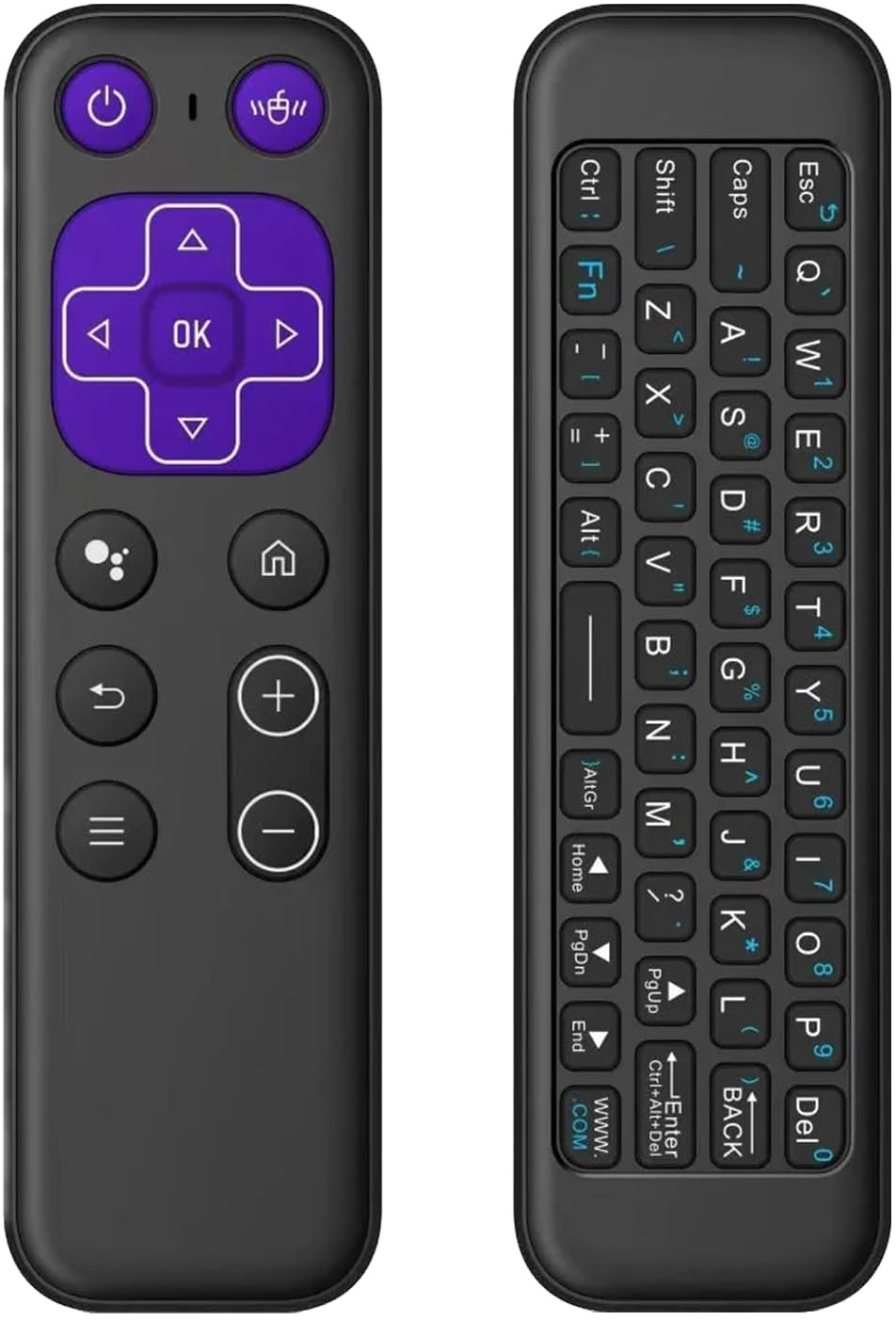
Shortcuts, voice and an air mouse on the front. A full Bluetooth QWERTY keyboard on the back. Type a quick edit, a search, or a reply without reaching for your Mac.
These are the cheapest listings we found as of 30 September 2026. These are not referral links.
Price range: ₹650–₹900. Prices, delivery charges, and availability may change. Check the total at checkout.
Look for the Bluetooth T6 with the purple controls and rear keyboard pictured here. Vibote currently supports the T6 Remote with vendor ID 0x620A and product ID 0x0407. Support for more remotes is coming soon.
MORE REMOTES, COMING SOON
Have a different Bluetooth remote? Request support and help shape what Vibote works with next.
Request remote supportOpens a request on GitHub. You’ll need a GitHub account to submit it.
04 / YOUR NEXT MOVE
You’ll need a T6 Bluetooth remote and macOS 14 or later. Works on Apple silicon and Intel Macs.
Read the full guideDownload Vibote.dmg and open it. Drag Vibote.app into Applications, eject the disk image, then open Vibote from Applications.
This open-source build is not notarized. If macOS blocks it, go to System Settings → Privacy & Security → Open Anyway for Vibote and confirm opening it.
Connect it in System Settings → Bluetooth. Open Vibote and follow the Permissions panel to enable buttons and voice.
Hold Assistant to dictate on-device. For AI voice apps, click Install Vibote Mic in the Voice panel and choose Vibote Mic as your app’s input.
macOS asks for administrator approval and briefly restarts audio. Enable Start at login in Vibote’s General panel to open it automatically.
Install the Xcode command-line tools, then run:
git clone https://github.com/pankan/vibote.git
cd vibote
./scripts/build.sh
open build/Vibote.appVibote currently supports the T6 Remote (vendor 0x620A, product 0x0407), with purple controls on the front and a full Bluetooth QWERTY keyboard on the back. See the remote and store links. Support for more remotes is coming soon. Request support for your remote.
In on-device transcription mode, speech recognition runs on your Mac. If you choose an AI voice app, that app handles your audio according to its own settings and privacy policy.
No. Vibote includes Apple’s on-device speech recognition. Hold Assistant, speak, and release to type the text into your focused app. AI voice apps are an optional alternative.
Yes. Choose a keyboard key, shortcut, app, or Remote mic for each remappable button. Power and Air mouse are handled by the remote itself. You can restore the default layout at any time.
SMALL PROJECT. WIDE OPEN.
Free to use, inspect, and build on. Vibote is a small project with room for your ideas.